
N8n Guide: From Basics to Advanced — Everything You Need to Know
Learn everything about n8n — what it is, how it works, pricing, use cases, n8n vs Zapier vs Make comparison, and how to build your first workflow from scratch.

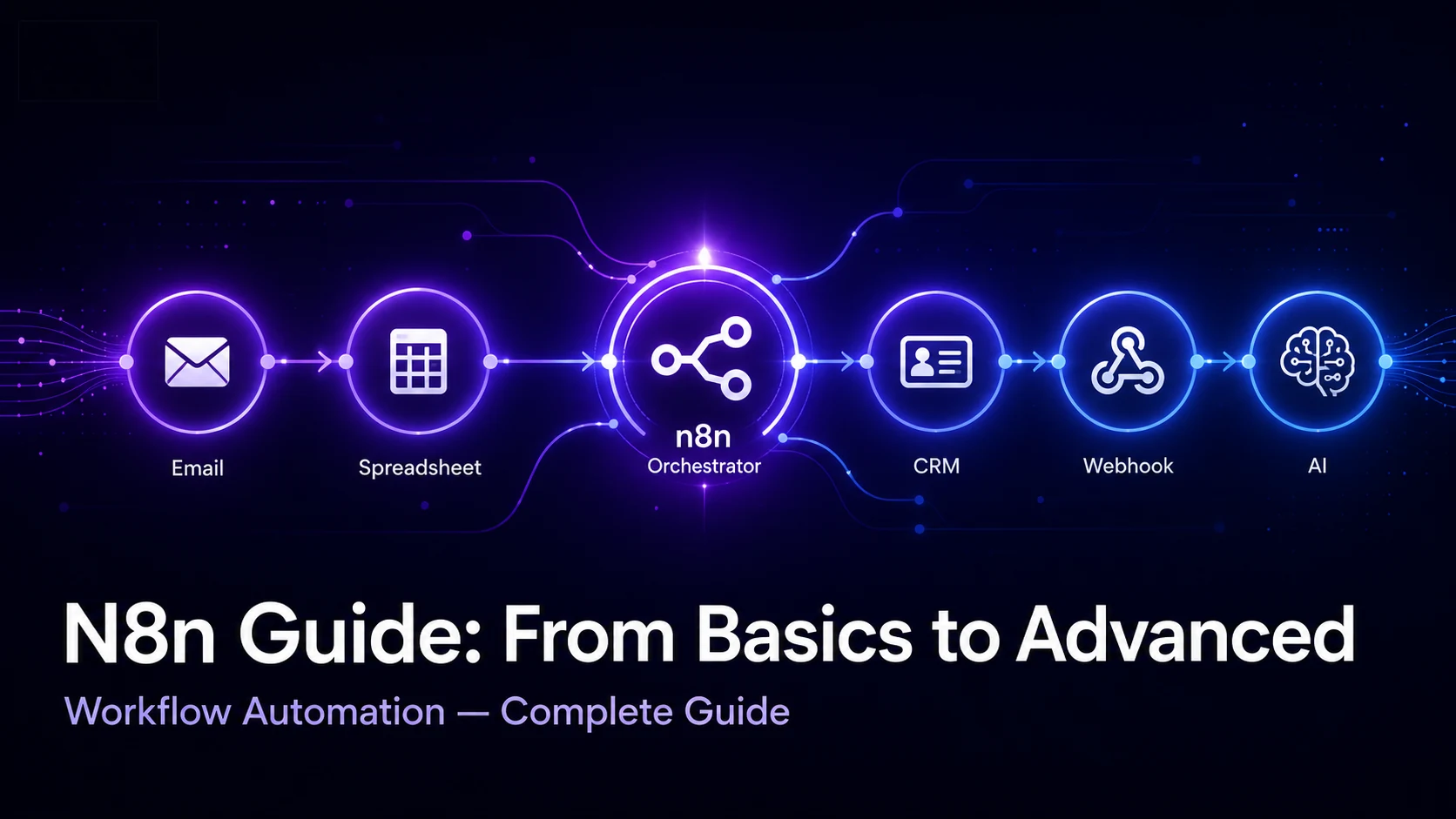
Your team probably repeats the same small tasks every week: copying leads from forms into a CRM, sending Slack updates, moving order data into sheets, generating reports, tagging support tickets, or publishing content across tools. Each task looks harmless alone. Together, they quietly waste hours.
So, what is n8n? n8n is a workflow automation platform that connects apps, APIs, databases, and AI tools so repetitive work can happen automatically. It is popular with developers because it supports custom logic, and with business teams because it gives them a visual builder instead of forcing every automation through code.
This n8n guide explains how the tool works, what it is used for, how pricing works, how it compares with Zapier and Make, and how beginners can build their first workflow. It also covers advanced features such as AI agents, webhooks, custom nodes, and error handling.
What is n8n?
n8n is a workflow automation tool used to connect different apps and services so data can move between them automatically. The name is pronounced “n-eight-n” and is commonly understood as short for “nodemation,” referring to node-based automation.
A simple answer to what is n8n is this: it is a visual automation builder where every step in a process is represented as a node. One node may receive a form submission, another may clean the data, another may send it to HubSpot, and another may alert your team on Slack.
n8n is often described as a fair-code workflow automation platform. Its source code is available and it can be self-hosted, but its licence includes commercial restrictions. That means the phrase n8n open source is commonly used, but technically n8n is not the same as a fully permissive open-source tool like an MIT-licensed project.
Compared with traditional automation tools, n8n gives more control. You can use ready-made integrations, write JavaScript or Python logic, call APIs directly, run workflows on your own server, and build AI-powered automations without losing visibility into each step. If you are already investing in website development, adding n8n to your stack can automate many of the repetitive backend tasks that slow your team down.
How Does n8n Work?
n8n works through a visual canvas. You create a workflow by adding nodes, connecting them, configuring each step, and then testing the flow before activating it.
A trigger starts the workflow. This could be a webhook, schedule, form submission, new email, CRM update, or database change. An action does something after the trigger runs — such as creating a lead, sending an email, updating a spreadsheet, generating a document, or calling an AI model.
For example, a marketing agency could create this n8n workflow automation:
- A website form receives a new SEO audit request
- n8n captures the form data through a webhook
- The workflow checks whether the email already exists in the CRM
- If it is new, n8n creates a lead
- It sends a Slack alert to the sales team
- It sends a personalised confirmation email to the prospect
- It stores the lead details in Google Sheets for reporting
This is a basic n8n example, but the same logic can scale into multi-step workflows with conditions, AI decisions, API calls, approval stages, and error branches.
Key Features of n8n
n8n has become popular because it sits between no-code convenience and developer-level flexibility. It is simple enough for marketers to understand, but flexible enough for developers to extend.
| Feature | What It Does | Why It Matters |
|---|---|---|
| Visual workflow builder | Build automations with connected nodes | Easier for non-developers to understand and edit |
| 500+ integrations | Connects apps, databases, APIs, and services | Reduces manual data transfer between tools |
| Self-hosting | Run n8n on your own server | Useful for privacy, cost control, and custom infrastructure |
| AI agent support | Lets workflows use AI agents and tools | Helps automate decision-based tasks, not just fixed steps |
| Custom code | Supports JavaScript and Python logic | Developers can handle complex business rules |
| Webhooks | Starts workflows from external systems | Useful for forms, apps, websites, and custom software |
| Custom nodes | Extend n8n with your own integrations | Useful for internal tools and niche business systems |
The n8n tool is especially useful for agencies, SaaS startups, e-commerce brands, and Indian freelancers who need powerful automations without paying per small action across every client workflow.
n8n Use Cases — What Can You Automate?
Many people search for what is n8n used for because the platform can look broad at first. The best way to understand it is through real business scenarios.
Marketing Automation
A digital marketing team can connect Facebook Lead Ads, Google Sheets, HubSpot, Mailchimp, and Slack. When a new lead arrives, n8n validates the data, assigns the lead source, adds it to a nurture list, and notifies the right person. Rankastra’s own AI marketing services use automation principles like these to drive better client results.
Sales and CRM Workflows
Sales teams can sync Typeform leads into Zoho CRM or HubSpot, enrich the lead using an API, assign it based on city or budget, and create a follow-up task. For Indian agencies managing multiple clients, this removes a lot of spreadsheet work.
eCommerce Order Management
A Shopify or WooCommerce store can send order data to accounting software, update inventory, alert the fulfilment team, and message customers when an order status changes.
HR and Onboarding
When a candidate accepts an offer, n8n can create an onboarding checklist, send documents, notify the reporting manager, create accounts, and schedule welcome emails.
Content Publishing
A content team can move approved blog drafts from Notion or Google Docs into WordPress, generate meta descriptions, create internal task reminders, and notify editors.
Data Sync
Businesses can sync customer records between CRMs, spreadsheets, support tools, and internal dashboards. This is one of the most practical n8n use cases because most teams suffer from mismatched data across tools.
n8n Cloud vs Self-Hosted — Which Should You Choose?
n8n gives you two main deployment choices: n8n Cloud or self-hosted n8n.
n8n Cloud is hosted and maintained by n8n. You do not need to manage servers, updates, SSL, backups, or uptime. This is the easier choice for business owners, marketers, agencies, and teams that want automation without infrastructure work.
Self-hosted n8n runs on your own server or cloud provider. This gives you more control over data, costs, customisation, and deployment. It is better for developers, technical freelancers, SaaS teams, and companies with strict data requirements.
| Feature | Cloud | Self-Hosted |
|---|---|---|
| Setup difficulty | Easy | Medium to advanced |
| Hosting | Managed by n8n | Managed by you |
| Updates | Handled by n8n | You handle updates |
| Data control | Good, but hosted externally | Highest control |
| Cost model | Monthly subscription | Server cost + maintenance |
| Best for | Beginners, agencies, business teams | Developers, startups, technical teams |
| Maintenance | Low | Ongoing responsibility |
Choose n8n Cloud if you want speed, reliability, and less technical work. Choose self-hosted n8n if you need full control, lower long-term execution cost, or private infrastructure.
n8n Pricing — How Much Does It Cost?
n8n pricing in 2026 depends on whether you use Cloud or self-hosted. All Cloud plans include unlimited users and unlimited workflows — you only pay based on monthly execution volume.
| Plan | Price | Key Features | Best For |
|---|---|---|---|
| Self-hosted Community | Free (server cost extra) | Unlimited executions, all integrations | Developers, freelancers, technical teams |
| Starter Cloud | $24/month | 2,500 executions, 1 shared project, forum support | Beginners, small workflows |
| Pro Cloud | $60/month | 10,000 executions, workflow history, admin roles | Agencies, growing teams |
| Business | $800/month | 40,000 executions, SSO, audit logs, compliance | Larger companies |
| Enterprise | Custom pricing | Unlimited executions, dedicated infrastructure, SLAs | Large organisations |
Annual billing saves approximately 17% across all Cloud tiers. Note that a single polling workflow checking every 5 minutes can use over 8,600 executions per month — so monitor your usage carefully on lower tiers. Always verify the latest figures on the official n8n pricing page.
n8n vs Zapier vs Make — Full Comparison
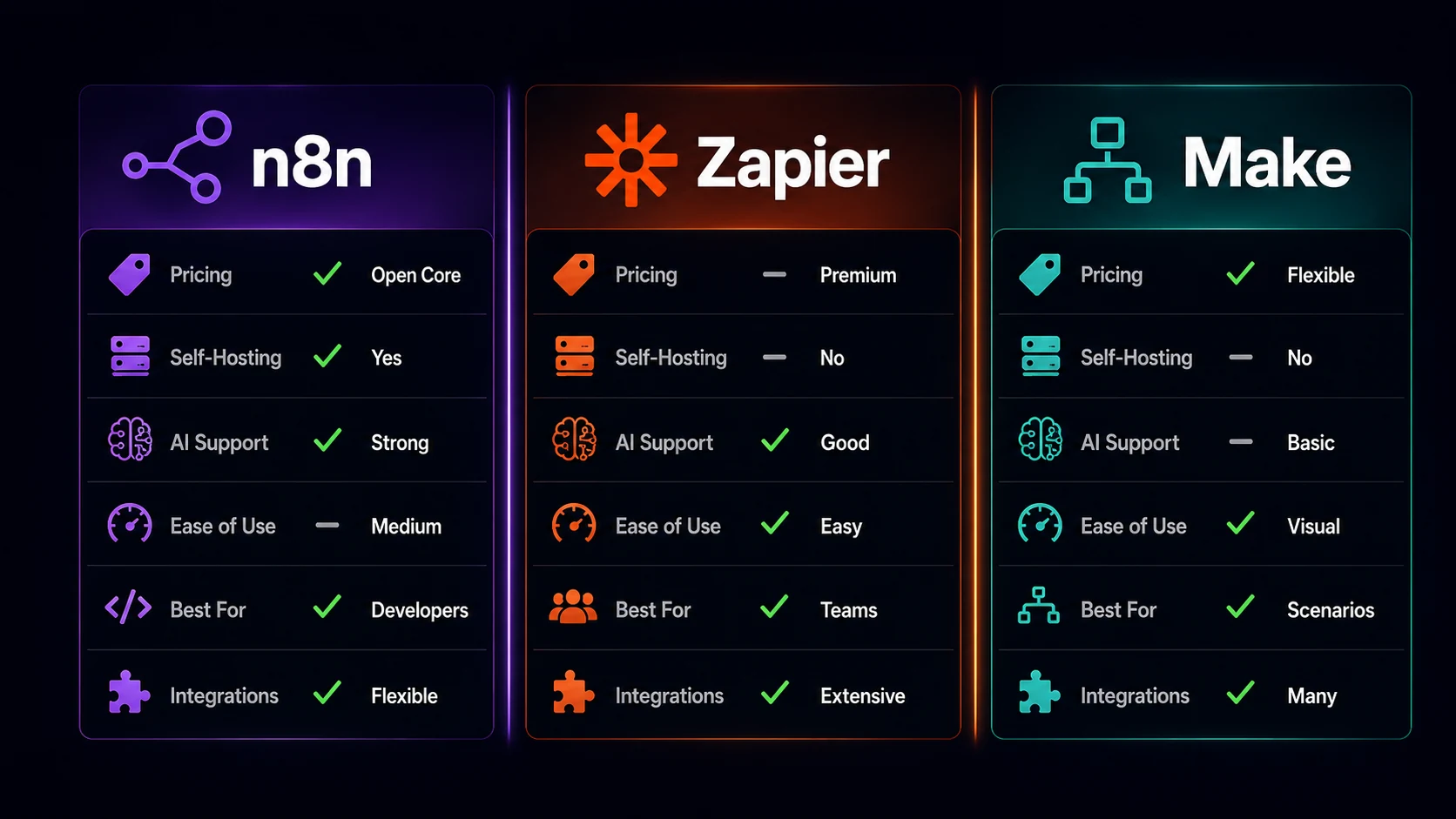
The n8n vs Zapier debate usually comes down to control versus simplicity. Zapier is easiest for beginners. Make has a polished visual builder. n8n offers more developer flexibility, self-hosting, and AI workflow control.
| Feature | n8n | Zapier | Make |
|---|---|---|---|
| Pricing | From $24/month Cloud; free self-hosted | From ~$20/month | Free plan; paid plans credit-based |
| Free Plan | Self-hosted Community Edition free | Yes, limited tasks | Yes, limited operations |
| Self-Hosting | ✓ Yes | ✗ No | ✗ No |
| Integrations | 500+ plus custom nodes & APIs | Very large app ecosystem | Large ecosystem |
| AI Support | Strong — AI Agent node built-in | AI features available | AI tools available |
| Ease of Use | Moderate — best for technical users | Easiest for beginners | Visual, can get complex |
| Billing counts | Full workflow execution | Per task / action step | Per operation |
| Best For | Developers, agencies, advanced automation | Non-technical teams, quick setup | Visual builders, ops teams |
Zapier wins when ease of use matters most for simple trigger-action workflows. Make wins for polished visual building at good value. n8n wins when control matters — especially for developers, agencies handling multiple clients, and teams building AI-assisted workflows. n8n also bills per full workflow run rather than per step, making it significantly more cost-effective at scale.
How to Get Started with n8n — Step by Step
This n8n tutorial for beginners walks through a basic setup without assuming coding knowledge.
- Sign up or install n8n — Start with n8n Cloud for the easiest setup at n8n.io. For self-hosted use, install n8n with Docker on a VPS or local machine.
- Understand the dashboard — After login you will see your workflows, templates, credentials, executions, and settings. Workflows are your automations. Credentials store secure app connections.
- Create your first workflow — Click to create a new workflow. Add a trigger node first. For a beginner-friendly test, use a Manual Trigger or Webhook Trigger.
- Add an action node — Add an action such as Google Sheets, Gmail, Slack, Notion, HubSpot, or HTTP Request. Connect the trigger node to the action node.
- Map your data — Select fields from the trigger output and place them inside the action node. Map the “email” field from a form submission into the “email” field in your CRM.
- Test the workflow — Run the workflow manually. Check the execution output. If something fails, inspect the error message and adjust the node settings.
- Activate the workflow — Once the test works, turn the workflow on. n8n will now run it automatically whenever the trigger condition is met.
A simple n8n automation tutorial to start with: webhook receives a website lead → n8n adds the lead to Google Sheets → sends a Gmail notification to the sales team. Three nodes, five minutes to build, one real business process automated.
Advanced n8n Features (For Power Users)
AI Agents in n8n
The AI Agent node lets an autonomous system receive input, decide what tool to use, and act through connected tools or APIs. A practical example: an AI agent reads a new support ticket, checks order history, decides whether it is a refund or delivery question, then drafts the right response — without human involvement.
Custom Nodes
Build custom nodes when your internal software or niche SaaS app does not have a ready-made integration. This is useful for agencies, SaaS products, and companies with proprietary systems.
Webhooks
Webhooks allow external systems to trigger n8n instantly. They are useful for website forms, payment events, app notifications, and custom dashboards.
Error Handling
Error branches let you define what happens when a workflow fails. Instead of silently breaking, the workflow can notify a team, retry, log the issue, or route failed data to a backup sheet.
Git Version Control
Technical teams can manage workflow changes by tracking versions, reviewing changes before deployment, and coordinating production updates safely across environments.
Is n8n Worth It? Pros and Cons
n8n is worth it for teams that need more control than simple no-code tools provide. It is especially strong when workflows include APIs, databases, custom logic, or AI.
Pros
- Strong balance of visual automation and developer control
- Self-hosting option for better data privacy and cost control
- Free self-hosted Community Edition with unlimited executions
- Handles complex workflows with conditions, branching, and loops
- Supports custom code in JavaScript and Python
- Built-in AI agent workflow support
- Cost-effective at scale — billed per workflow run, not per step
- Great for Indian freelancers and agencies managing multiple client systems
Cons
- Steeper learning curve than Zapier for non-technical users
- Self-hosting requires server management and DevOps knowledge
- Starter Cloud plan (2,500 executions/month) can run out fast with polling workflows
- Smaller ready-made app library compared to Zapier
- Community support only on lower tiers — no priority support
Who is n8n best for? Developers and technical freelancers are the best fit overall. Digital agencies get excellent value for multi-client workflow management. Startups benefit from the balance of power and cost. Complete beginners with no coding background may want to start with Zapier first, then graduate to n8n.
Frequently Asked Questions
Is n8n free?
Is n8n better than Zapier?
Can I use n8n without coding?
What is n8n used for?
Is n8n safe to use?
Can n8n run AI agents?
n8n is one of the most capable workflow automation platforms available today, especially for teams that want real control over their automations. It handles everything from simple three-node workflows to complex AI-driven pipelines with conditions, branching, and custom logic.
The key takeaways: n8n is fair-code and self-hostable, it counts billing per workflow run rather than per step making it cost-effective at scale, its AI Agent node is a genuine differentiator, and it rewards users who invest a little time learning it. To learn how automation fits into a broader digital strategy, explore Rankastra’s digital marketing services.